Understanding & Choosing A Creative Commons License For Your Work
As the world moves towards building a culture of openness through initiatives like open science, open access, open data, and open educational resources, contributing towards creating a culture of reciprocity is more important than ever before. One way to contribute to building this culture and the open movement is by sharing materials and resources you create. Did you know that you own the copyright for materials you create (see Copyright FAQ for more information)? At the University of Waterloo, everyone owns their own intellectual property (with some exceptions) which gives creators the ability to apply Creative Commons (CC) licenses to their creative work as appropriate (see Policy 73 – Intellectual Property Rights). By default, works receive all rights reserved protection under the Canadian Copyright Act but CC licenses allow creators to provide people with more permissions than are permitted under the default all rights reserved or other exceptions governed by copyright law.
Please note this FAQ is not legal advice and should not be taken as such. Please visit the Canadian Intellectual Property Office’s website for more information about copyright in Canada.
How Creative Commons Licenses Work
While copyright law applies a default all rights reserved, CC licenses use a “some rights reserved” approach which grants additional permissions to users with different standardized conditions. It’s important to note that CC licenses work on top of copyright law and not instead of copyright law.
Each CC license is made up of three layers:
- Legal Code: The legal code makes up the lawyer-readable part of the license and includes the terms and conditions that are legally enforceable in court.
- Human Readable: The human-readable layer is known as the Commons Deed and contains a summary of the legal code that lays out the key license terms in a way non-lawyers can understand.
- Machine Readable: The machine-readable layer is what allows software, apps, and websites etc., to understand the code in a way that they can understand. This allows the various technologies to understand what licenses are applied to works.
All CC licenses are legally enforceable, but they are intentionally designed to be accessible to non-lawyers (especially through the human-readable layer).
Types of Creative Commons Licenses
This is the Creative Commons icon that is included in all licenses.
It’s important to choose the correct license when thinking about applying a CC license to your work! Creative Commons licenses use a combination of four elements to create six licenses.
License Elements
| By Attribution (BY): Credit must be given to the creator (can be a pseudonym or anonymous) if it's requested. All CC licenses include this condition.  |
NonCommercial (NC): Reuses of the work are only permitted if they do not intend commercial gain (e.g., making a monetary profit).  |
|---|---|
| ShareAlike (SA): Adaptations and derivatives of the work must be licensed and shared under the same terms.  |
NoDerivatives (ND): No derivatives or adaptations of the work are permitted to be shared.  |
Licenses
CC BY BY: Credit must be given to the creator |
CC BY-NC-SA BY: Credit must be given to the creator NC: Only noncommercial uses of the work are permitted SA: Adaptations must be shared under the same terms |
|---|---|
CC BY-SA BY: Credit must be given to the creator SA: Adaptations must be shared under the same terms |
CC BY-ND BY: Credit must be given to the creator ND: No derivatives or adaptations of the work are permitted |
CC BY-NC BY: Credit must be given to the creator NC: Only noncommercial uses of the work are permitted |
CC BY-NC-ND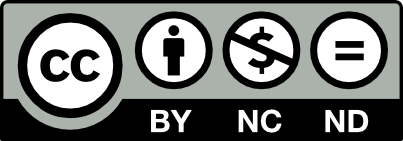 BY: Credit must be given to the creator NC: Only noncommercial uses of the work are permitted ND: No derivatives or adaptations of the work are permitted |
Other Tools: The Public Domain
In addition to the CC licenses, Creative Commons also supports two copyright tools for creators who want to dedicate their work to the public domain and have “no rights reserved”. These tools are the CC0 (pronounced CC Zero) public domain dedication tool and the public domain mark. These two tools are not licenses but are additional tools you have for your copyright protection toolbox. Like CC licenses, CC0 is a copyright tool, but unlike CC licenses, it covers additional rights that make it clear that the rightsholder is allowing maximally free use of a work.
The public domain dedication tool and the public domain mark differ in key ways:
Public Domain Dedication (CC0)
- Allows license holders to dedicate work to the public domain (can only be applied by license holder)
- CC0 uses the same three-layer design (legal code, human-readable (commons deed), machine-readable) as the CC licenses
- Is legally enforceable
Public Domain Mark
- Indicates work is known to be free of all copyright protections (e.g., is in the public domain)
- Has no legal effect when it is applied to works by itself
- Only used as a label to indicate public domain status to users
- Can be applied by anyone (e.g., museums, libraries, and archives)
REMEMBER: these two public domain tools are not CC licenses
Exceptions & Limitations to Creative Commons Licenses
Although CC licenses can be applied to most creative works, there are some important exceptions and limitations to consider!
Exceptions
Software
The use of CC licenses for software is not recommended. Instead, consider using one of the free software licenses from the Free Software Foundation. These licenses from the Free Software Foundation are purpose-built for licensing software, contain similar rights to CC licenses, and more appropriate for software since the contain specific terms about the distribution of source code.
If your software and source code are hosted on GitHub, they have created choosealicense.com to help select which license is best for your repository.
Materials in the public domain
Creative Commons licenses should not be applied to work in the public domain. If they are applied in error, CC licenses will not be valid and have no effect on works within the public domain.
Limitations
- Creative Commons Licenses are built to function on top of copyright law and only operate when a work is within the scope of copyright law and any restrictions and exceptions under copyright law (e.g., fair dealing and provisions for people with disabilities). For example, if the intended use of a work falls within fair dealing exceptions, users do not need to comply with and follow the terms and conditions of the CC license. If the intended use of a work falls under any of the exemptions covered by copyright law, users do not need to follow the terms and conditions of the CC license. See the Copyright FAQ for more information on exemptions.
- Other intellectual property protections (e.g., trademarks and patents) and rights (e.g., privacy rights) must be managed separately and are not covered by CC licenses. This means that there may be additional rights applied to a work that otherwise restrict use.
- Creative Commons licenses have no effect and are not valid on materials in the public domain.
References
- “3.1 License Design and Terminology” (https://creativecommons.org/course/cc-cert-edu/unit-3-anatomy-of-a-cc-license/3-1-license-design-and-terminology/) by Creative Commons. CC BY 4.0.
- “3.2 License Scope” (https://creativecommons.org/course/cc-cert-edu/unit-3-anatomy-of-a-cc-license/3-2-license-scope/) by Creative Commons. CC BY 4.0.
- “3.4 License Enforceability” (https://creativecommons.org/course/cc-cert-edu/unit-3-anatomy-of-a-cc-license/3-3-license-types/) by Creative Commons. CC BY 4.0.
- “3.4 License Enforceability” (https://creativecommons.org/course/cc-cert-edu/unit-3-anatomy-of-a-cc-license/3-4-license-enforceability/) by Creative Commons. CC BY 4.0.
- “Frequently Asked Questions” (https://creativecommons.org/faq/) by Creative Commons. CC BY 4.0.
- “Fair Dealing Exception Guidelines” (https://copyright.uwo.ca/guidelines_requirements/guidelines/fair_dealing_exception_guidelines.html) by Western University. CC BY-SA 4.0.
- “Copyright Fair Dealing Analysis” (https://copyright.uwo.ca/fair_dealing_analysis/index.html) by Western University. CC BY-SA 4.0.
- Copyright Act, RSC 1985, c C-42. (https://laws-lois.justice.gc.ca/eng/acts/C-42/page-1.html#docCont) by the Government of Canada.
License
“Creative Commons Certificate Learning Space” by Anneliese Eber is licensed under CC BY-SA 4.0.
For any questions about the site content please contact Anneliese Eber aeber@uwaterloo.ca Website theme: Hacker CC0